
What’s New
UI improvements
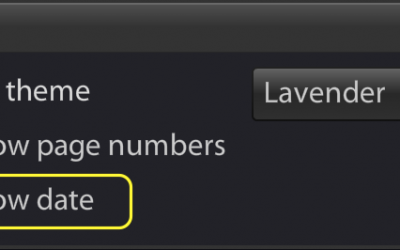
The latest release of Portfolio Lab added several commands and options: 1. Asset button to directly access the profile of stocks, funds, ETFs: 2. Previous quarter option (in global settings): 3. Show/Hide date in the PDF report: 4. When searching assets, the results...
Portfolio Search / Privacy
We added a portfolio search box. This may be useful if you have many portfolios. The search box can also be used whenever privacy is needed (to hide your client names when doing a presentation). For privacy, simply click Hide List as shown below: The portfolio search...
Position return analysis
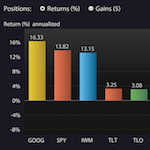
Drill-down the source of portfolio return: Best/worst performers Contributions to portfolio return From the Performance tab, click on the magnifier icon next to the portfolio return, as shown below: The position return analysis is available for both model and client...
Two-step authentication
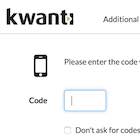
Two-step authentication provides increased security for your Kwanti account. This additional security is optional and you can enable it in your Account security settings. When enabled, you sign-in to Kwanti in two steps: You enter your username and password If valid,...
Morningstar indexes
Our index lineup now includes 100 of the most useful Morningstar indexes: Style indexes such as US Value/Growth; US Large/Mid/Small cap Sector indexes such as Real Estate, Financials, Energy... International indexes: Global Markets, Asia, Europe, Emerging markets For...

Advyzon integration
We are pleased to announce our partnership with Advyzon. Advyzon is an intuitive, cloud-based platform that combines portfolio management, flexible performance reporting and client portals, client relationship management (CRM), planning, and business intelligence....
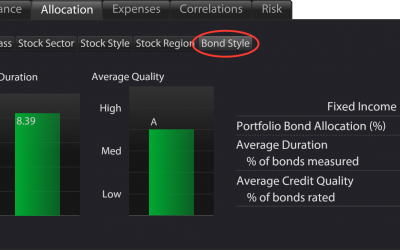
Portfolio Bond Style
Sensitivity to interest rates and probability of default are the dominant risk factors for bonds. Portfolio Lab quantifies these risks at the portfolio level and position level. To display the analysis, select Allocation -> Bond Style Duration is a measure of...
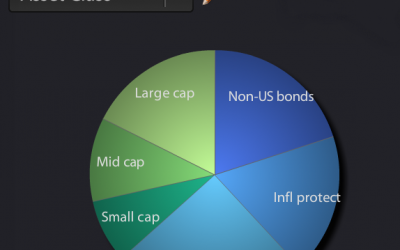
Custom asset allocation
A popular feature of Kwanti Analytics is its ability to upload custom assets. This is useful if an asset is not in Kwanti's database, but you have a record of the asset's monthly, weekly or daily returns, that you wish to use. As an enhancement, you now have the...
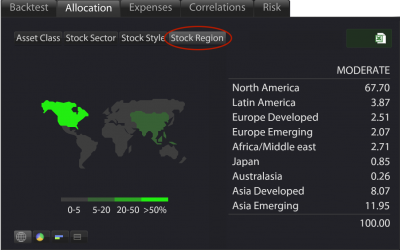
Stock Region Allocation
The Stock Region analysis (found under the Allocation tab) summarizes the geographical weights of equities in the portfolio: The weights for each region are calculated by aggregating the region weights of the portfolio constituents (funds, ETFs, stocks). For research,...
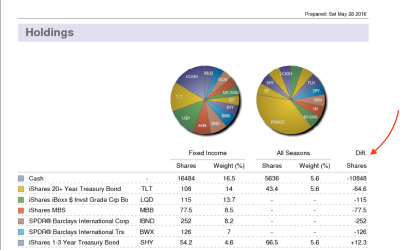
Showing shares difference in portfolio comparison
When comparing portfolios in a PDF proposal, you may add a Difference column in the holdings table: To add the Difference column, click on existing table columns. A menu appears, allowing you to configure the table. You may also display the difference in weight or...
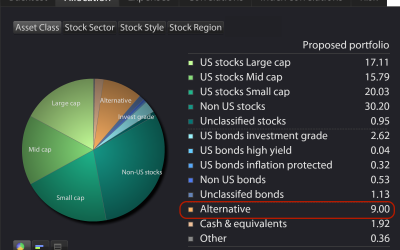
Alternative asset class added
The Alternative asset class was added to the allocation view. This asset class comprises: managed futures long/short funds market neutral funds bear market funds volatility funds commodities In the previous version of Portfolio Lab, these alternative funds were...
Black Diamond integration available
To analyze your Black Diamond portfolios and accounts, select Import->Black Diamond in Portfolio Lab's main screen. Once activated, the integration is easy to use. A search function allows quick retrieval of data, as shown below: Benefits: eliminate manual entry or...
Want to
Learn More?
Get in touch with our top of the line customer support team