
Kwanti has expanded the customization options for PDF report cover pages, giving advisors greater control over branding and presentation. These enhancements build on the existing cover page functionality by adding layout flexibility, color customization, and background image options.
What’s New
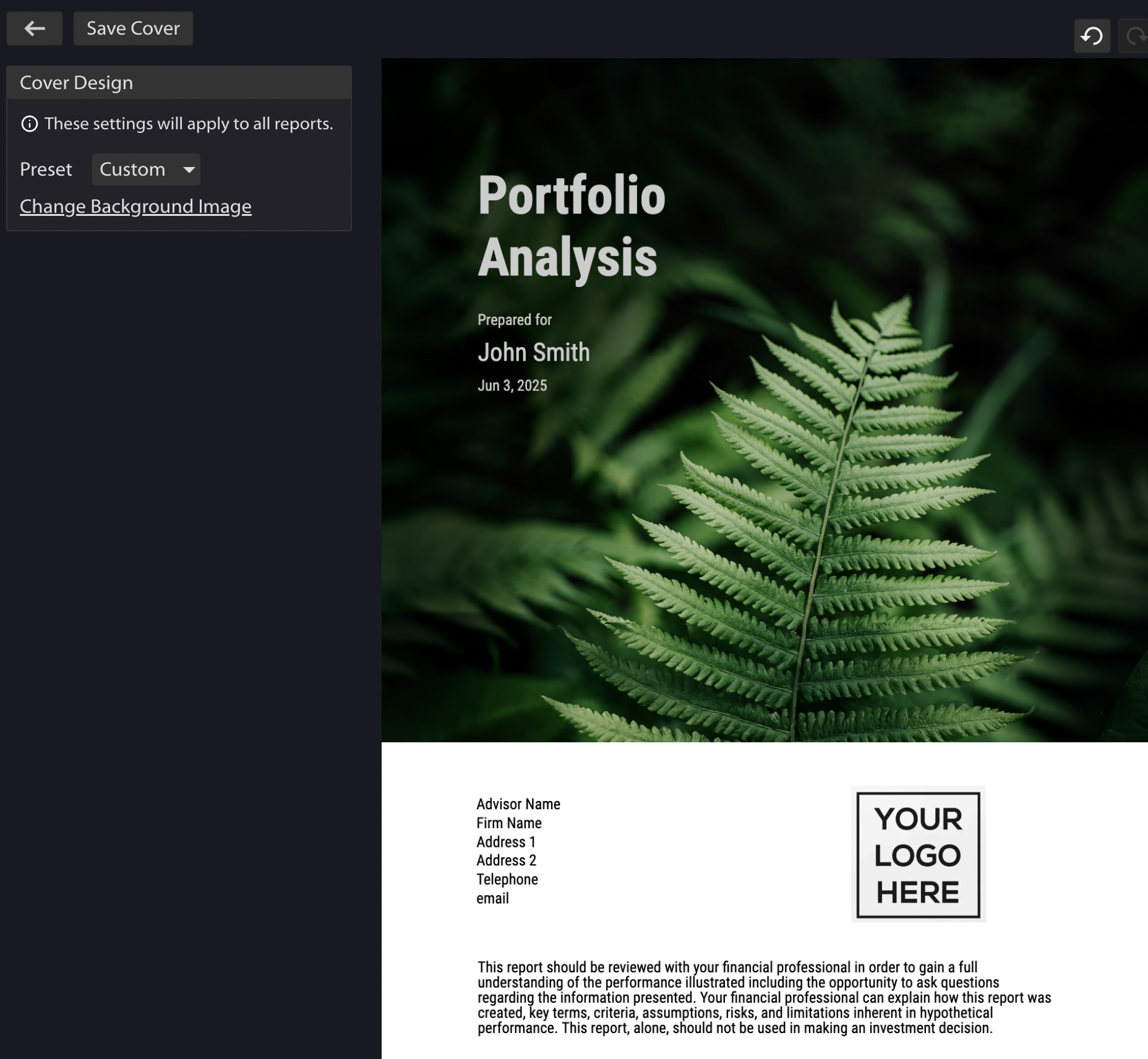
Previously, advisors could modify their logo, edit text within designated blocks, and adjust the main page color. The enhanced cover page now includes:
Layout Selection – Choose from multiple professionally designed templates to match your presentation style and brand aesthetic.
Flexible Element Positioning – Move text blocks, logos, and other elements to create the layout that works best for your firm.
Advanced Color Controls – Customize text colors in addition to the main page color for complete brand alignment.
Custom Background Images – Upload your own background image to create a fully branded cover page experience.
Integrated Disclosures – Add compliance disclosures directly to the cover page for immediate visibility.
Benefits for Advisors
The expanded customization options enable you to:
- Strengthen Brand Consistency – Align every client report with your firm’s visual identity through comprehensive design control
- Improve First Impressions – Create professional, polished cover pages that set the tone for your analysis
- Streamline Compliance – Include necessary disclosures prominently on the cover page
- Differentiate Your Presentations – Stand out with unique layouts and branded backgrounds that reflect your firm’s personality
How to Access
The enhanced cover page customization is available within Kwanti’s PDF report generator. When creating a new report, you’ll find the expanded design options in the cover page settings.
All customization features are available to existing users at no additional cost. Whether you’re preparing client reviews, prospect presentations, or internal reports, these tools help ensure your deliverables reflect the quality and professionalism of your advisory practice.
Learn more here.